this has been happening for a whole week, I’ve been running with admin rights and with vpn and without vpn, but it’s not much use. And changed the location of the game folder. There is still a desire to at least enter the game.
1 Like
did u read the launcher.log
2026-07-12 - 10:53:04.182 [WARNING] update: manifest fetch failed
2026-07-12 - 10:53:04.194 [WARNING] launcher: manifest fetch failed, launching cached
2026-07-12 - 10:53:04.195 [INFO] launcher: luduvo:// handler registered
Hi!
I advice you to use the terminal prompt as admin, and type this:
C:\Users\Admin\Downloads\windows-x86_64\Luduvo\Luduvo
(Change the “Admin” with your device name)
Don’t use a VPN or anything in that. The launcher tried to use a cached copy of the manifest and it worked, only the problem was it couldn’t download the manifest fetch because maybe of a connection problem into the Luduvo server. Even with that you still should see Luduvo launching but it’s not the case as we see in the video you shared.
You saying the location of game folder changed, where did it go exactly?
I probably translated it incorrectly, I don’t know much English, I meant that I moved the Luduvo folder to different places on my disk, but it didn’t help.
Я использую переводчик, возможно, он тоже переводит не совсем правильно.
В командной строке даже не отобразились подробности ошибки, но в любом случае запустите Luduvo, как обычно, затем перейдите в «Выполнить» (нажмите Win + R или введите «Выполнить» в строке поиска) и введите «eventvwr.msc». После этого перейдите в «Журналы Windows», щелкните «Приложения» — там вы должны увидеть сообщение об ошибке Luduvo.
Сообщите мне, что написано в разделе «Общие».
Даже если «Просмотрщик событий» пуст, проблема лежит на стороне Luduvo, а не на вас.
Разработчикам нужно будет это исправить.
I am using a translate, it will not may translate correctly too.
The terminal prompt didn’t even showed a detail of the error, anyways launch Luduvo like normally you do then go to ‘Executer’ for that Win + R or type ‘Run’ in search bar and write ‘eventvwr.msc’ inside. After go to ‘Windows Logs’ click to Application, you should see an error message of Luduvo.
Tell me what it says in General section.
Even if the Event Viewer is empty then the problem come from Luduvo and not you.
The Devs will need to fix this.
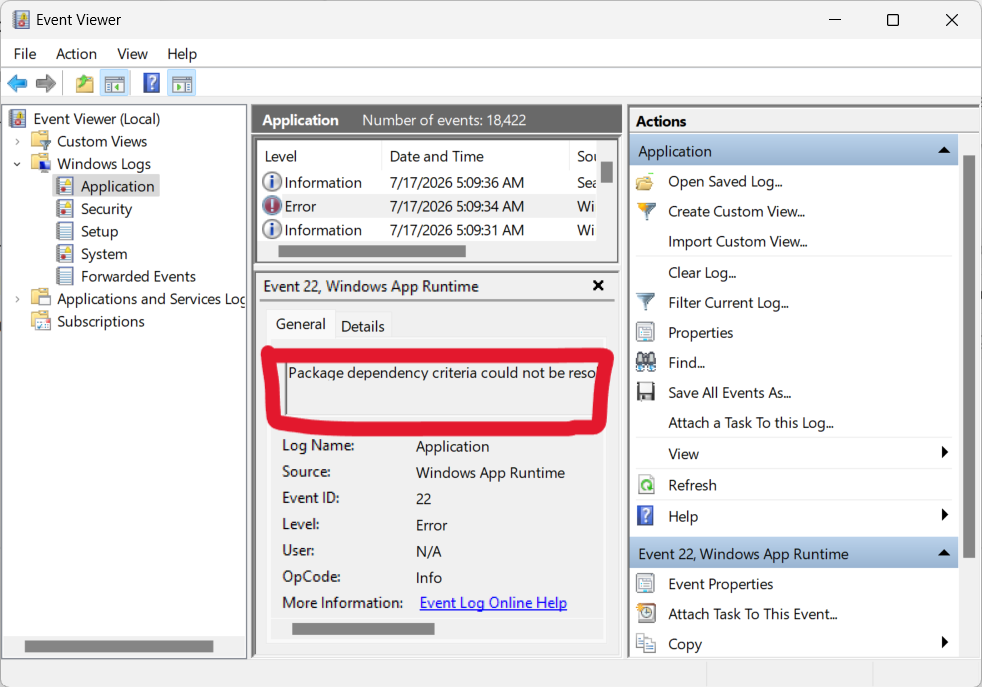
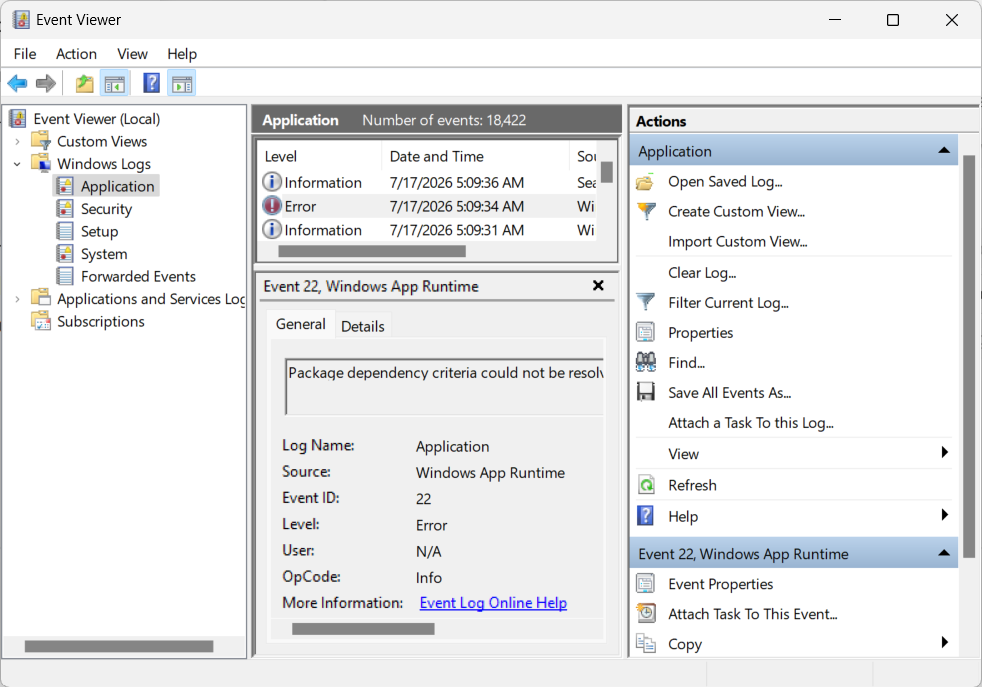
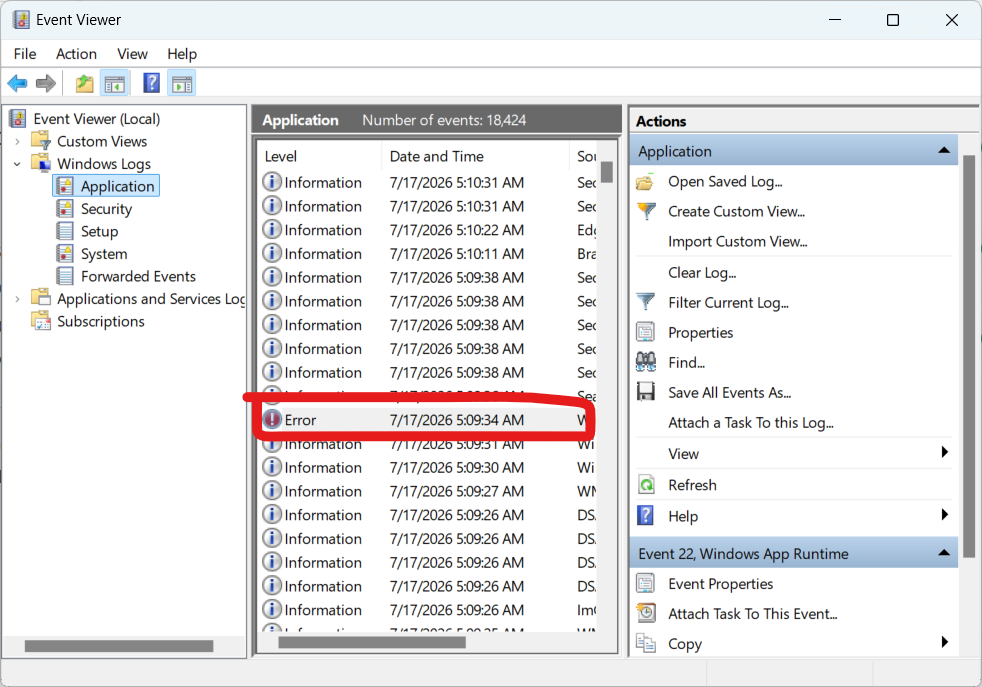
I ran Luduvo, it gave the error as it should, I looked, but luduvo is not in this log. It turns out that the problem is not on my side?
Normally if really the issue was from you, as you said there is not Luduvo in the log and Terminal says nothing, so it’s mostly a issue from Luduvo. I can’t help you further more just simply with the launcher log. What I can say is that you are not alone having issues with Luduvo, it’s a new engine, bugs are expected inside. You’ll need to wait until developers fix this. You can try to redownload Luduvo too, I don’t know if the staffs are aware of some people getting issues with or how much time it will take to fix this. If nothing changed during 2~3 weeks, you should absolutely report this to: [email protected] and mention what the issue does, most important: There is no Event Viewer error from Luduvo and no Console output.
I’m sorry..
1 Like
He still hasn’t answered me. It’s been almost a month. I don’t even know what to say. It’s probably a small error or bug and no one cares about it.
1 Like
Hey!
Don’t worry, a huge update has come to Luduvo! Redownload it again and check it out if it got fixed. Tell me if is working this time!
Hi!
We do care very much to ensure you can play Luduvo, however, we are very busy in terms of development and do not have this issue on the top of our priorities list.
Please be patient. Thank you.
Thank you @Starte for helping.
1 Like
No worries @Isaac
@PlushPersik Another major update should come this month of August and maybe Luduvo will officially launch in the 12th September if everything is going good.
I live in Russia, I probably have problems connecting to Luduvo servers due to some kind of sanctions and Cloudflare blockages or something similar.
the error, btw, is still present. I think it’s easier to forget about it, I’ll just wait, maybe it’ll fix itself somehow in the next update. or you will still find the reason.
You said, you even used a VPN so I guess it may be not related to some kind of blockages. You right too, it says in Launcher.log that the ‘update: manifest fetch failed’ , mostly can come from connection issues or it can’t reach the server/down.
Can you paste what’s inside of your State.json, mine show this:
{
"install_id":   "79235c57-42bd-4f93-a47e-b1b83091629a",

"version":  "2026.07.16",

"seq":  1785475688,

"fail_count":   0,

"last_fail":    0,

"game_exe": "LuduvoGame.exe",

"editor_exe":   "LuduvoEditor.exe"
}
Delete too the .luduvo-update.lock and relaunch again Luduvo, go to see too if something changed in Launcher.log.
Yeah something isn’t really normal in the: 2026-07-12 - 10:53:04.182 [WARNING] update: manifest fetch failed
2026-07-12 - 10:53:04.194 [WARNING] launcher: manifest fetch failed, launching cached
2026-07-12 - 10:53:04.195 [INFO] launcher: luduvo:// handler registered
..
Anyway, I’ll just wait for the release. Throughout the entire alpha testing period, I never managed to get into the game. Basically, I didn’t even need to fill out that Google form to take part in the 2nd batch of alpha testing, lol 
In all of this, there are still two advantages: I registered an account for alpha testing, and I actually made it into this “alpha.”
Hi!
Sorry for late response, I was offline during few days since.
I’m sorry if you didn’t even able to see a bit how the client looks like..
I’ll be honest, there was not too much to do, except if you wanted to create a game. You right, there’s still a good part from it.
The release date will be 12th September, glad trying to help you!
Hey back!
Your case normally got fixed, the cause was of Cyrillic characters.
You can check the update release note there: Luduvo 44 In-game console
(It’s at the end)
I actually suspected it might be something like that, but there were no Cyrillic characters in the game’s file path. It’s strange, really. But it doesn’t matter—the game is working now.
1 Like
No matters, happy to hear you can play!
The saga finally ends.
1 Like