When I attempted to follow this guide about making tool prefabs, I ran into an issue what when I imported the prefab after exporting it, I would find the prefab id would never populate.
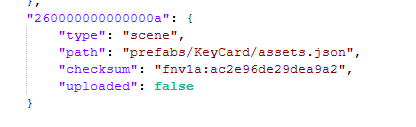
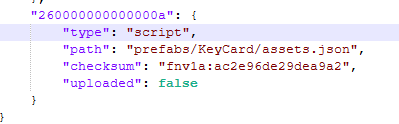
I ended up having to open project.json manually and modifying the asset type from “scene” to “script”.
I don’t know why I needed to manually modify project.json, why it defaulted to importing asset.json as a scene, or why asset.json actually needs to be typed as a script, but that is all that I could do to solve the issue.
After performing this modification I was then able to use the prefab in scripts as normal.
Below screenshots showing the change I had to make: