-
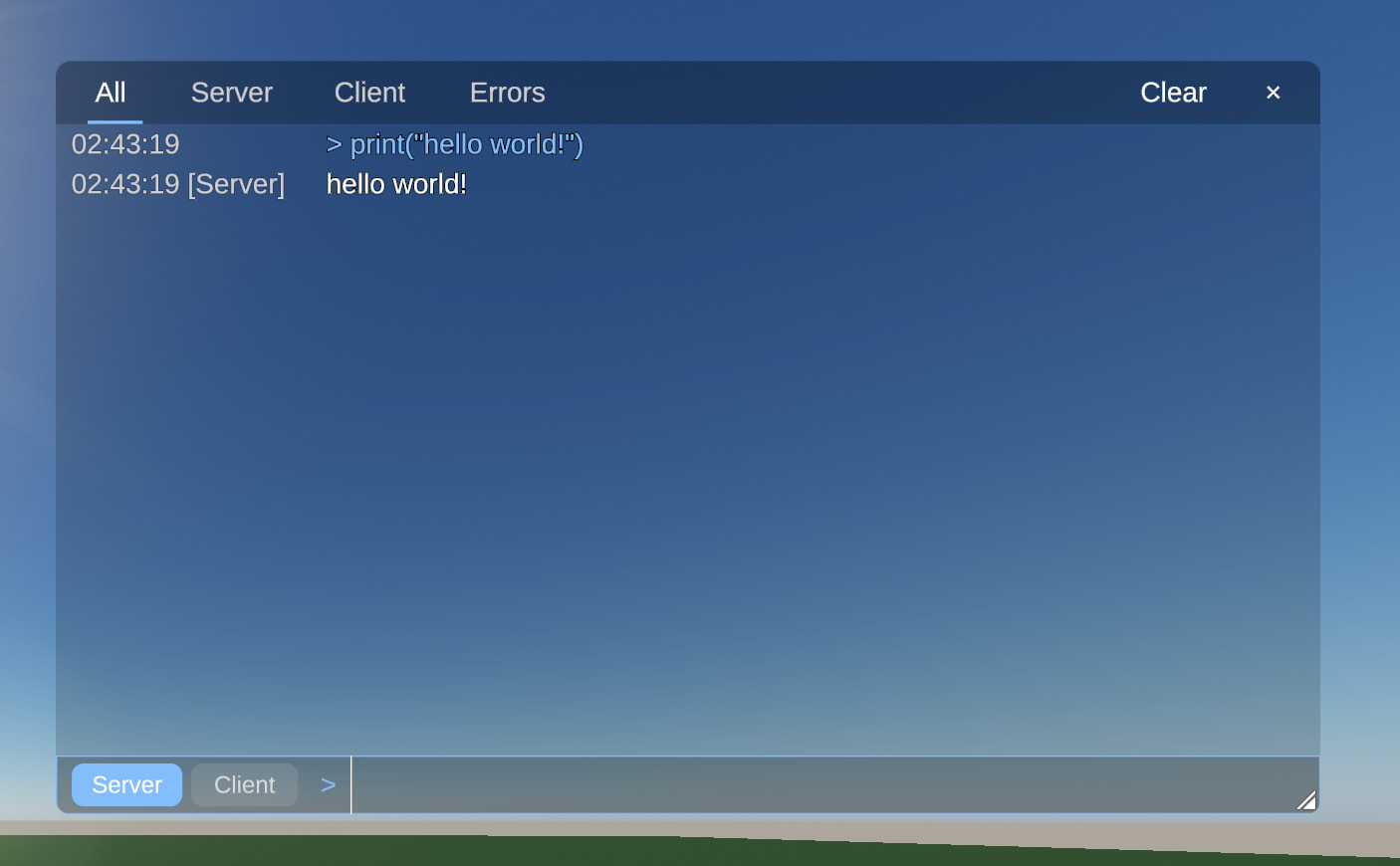
Pressing F9 opens a new in-game console showing script output, warnings,
and errors
The console window has tabs to filter All, Server, Client, or Errors, and an unread
line counter. -
Place creators and owners can run Lua commands directly from the console
prompt, with a switch to choose between running code on the server or client. -
Dedicated servers stream script output to connected players with a
bandwidth budget so server prints and diagnostics are visible in live games. -
Studio’s Output panel now has a Clear option in the right-click menu and an
output.clear command to empty the log. -
Script output and errors in Studio now identify whether they came
from the client or server runtime. -
Windows now writes a crash.log file next to game and Studio logs when a
crash occurs to help track down startup black-screen crashes. Thanks @666
Game crashes on black screen when launching (mostly amd users) -
Fixed high network bandwidth usage in places with many rotating parts,
cutting incoming network traffic by about a third. Thanks @StraiF
Huge network receive differences as part count scales -
Fixed characters clipping into parts, getting stuck on edges, or getting
pinned when strafing onto small steps. Thanks @mustedcloud
Clipping into things and getting stuck -
Fixed client scripts running their frame update loops in Studio while
editing before starting playtesting. Thanks @primiti_ve
scripts run outside of playtesting -
Fixed the Studio viewport becoming unresponsive to clicks and camera
controls on Windows when fullscreen was enabled in settings. Thanks @Yellow
and @0v3r5e3r
cant interact with studio viewport -
Fixed the Windows client failing to launch when the system has a broken
Vulkan driver by falling back to Direct3D 12. Thanks @Kitty-kitkat
Vulkan doesn’t implement the VK_KHR_surface extension -
Fixed game audio playing through the wrong output device and failing to
follow changes to the system default device. Thanks @Majestik
Audio Output Device incorrectly selected -
Fixed double-clicking a prefab in the Assets panel doing nothing right after
exporting a model in Studio. Thanks @BroDadi and @Jediweirdo
How do i edit prefabs? -
Fixed pressing Backspace or Delete in the Studio chat box inserting
missing-glyph symbols. Thanks @workspace
Chat broken in Studio? -
Fixed the Windows launcher closing silently on startup when installed under
a user profile with non-ASCII or Cyrillic characters. Thanks @silo
Luduvo.exe not doing anything on launch -
Fixed the client keeping stale cached copies of platform assets after they
were updated online. Thanks @gem
Inconsistent Texture Wrapping between Models

Wait, DX12 is fixed? And it falls back to it now when Vulkan fails because new users can’t (easily) change render settings when the client doesn’t open? I’ve been waiting for thins one for weeks, and I might be able to play Luduvo on my main machine more easily now. Goated update
Thanks!
If this doesn’t solve the problem, please continue sending bug reports!
Is the update pushed live to prod? Running the autoupdator and fresh installing Luduvo by manually running the luduvoLauncher.exe both still have dirty 43 as the latest for Windows builds
I just got the update, and it helped a lot! Instead of immediately getting the usual unsupported driver error, something fails later down the line instead
This is a GODSEND for scripters
Hey rotated part scaling is STILL bugged in global mode
Fire 
Let’s go!
I’m still getting the audio output device issue on this version
Awesome update looks soo tasty
Awh, I thought this is mobile support, I got tricked D:
Mobile support is a loooooooong while from now friend
w
i miss v44